Pick a photo for each role
Use two separate portraits, one for the visitor who sits down first and one for the friend who walks in.
Your first time in a fancy cafe
Two photos, two café visitors. Watch the 15-second mix-up.
2 photos
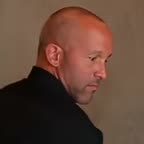 First guest
 Arriving friend
The simple part
Use two separate portraits, one for the visitor who sits down first and one for the friend who walks in.
The two portraits are meant for the same café scene you see in the sample, with the setup and the reveal already scripted.
See how the two roles play off each other in the 15-second sample. This preview shows how the finished scene is meant to feel.
A peek inside
One visitor gets to the café first and sits in the wrong spot. The friend who walks in knows exactly where to put their coffee. The planned creator gives each of those roles a separate photo slot.
This is a preview; photo upload is not active.
Get to know the scene, the two roles and what you can try in this preview.
It is a short comedy scene about a café with very confusing furniture. One visitor mistakes a tiny wall-mounted table for a seat. When a second person arrives, their coffee gives away what the table is really for.
You can watch the 15-second sample and explore the two roles today. The sample is the same for everyone. Photo uploads and personalized video generation are still in development.
The planned creator gives each person their own photo slot. Pick who plays the visitor already sitting at the table and who walks in second. Ask your friend before using their photo or sharing a clip with their likeness.
Start with one sharp, well-lit portrait per person. Keep the face and shoulders visible, with no heavy filter, sunglasses or hands covering the face. If your best shot is a group photo, crop a copy so only the intended person is in frame.
Yes. Tap “Watch the sample” in your phone or desktop browser. The vertical clip plays on this page, and you can pause it, turn on sound or use the player’s fullscreen control.
Yes. The 15-second sample has its own audio track. Use the volume control if the player is muted, or check your device volume if you still cannot hear it.
For now, share this page so friends can watch the sample. Personal video downloads and result links for sharing to TikTok, Instagram Reels or Shorts are still in development.
The sample is free and plays without signing in. Everyone sees the same café scene, and you can browse the role preview without submitting any photos.
Purchases are closed during this preview. Pricing, turnaround times and delivery details will be confirmed when the creator is ready.